Digital Safety

What Is Stealer Log Monitoring?

Some malware doesn't just grab a password — it captures a snapshot of everything open on your screen. Here's how monitoring for that works.

Stealer log monitoring is a cybersecurity practice that scans dark web forums and marketplaces for 'stealer logs' — files generated by information-stealing malware that capture a snapshot of everything saved on an infected device, including passwords, browser cookies, autofill data, and session tokens. Unlike monitoring for data from a single company breach, stealer log monitoring looks for evidence that a person's own device was infected, which can expose credentials across dozens of accounts at once, regardless of which companies were involved.

Most people picture a data breach the same way: a company's server gets hacked, and a spreadsheet of usernames and passwords leaks out somewhere.

That's real, but it's not the only way your information ends up circulating. A different, quieter kind of theft happens directly on an infected device — malware silently harvesting every saved password, browser cookie, and autofill detail sitting on that machine at the moment it strikes, then packaging it all into a file and shipping it off to whoever's running the operation.

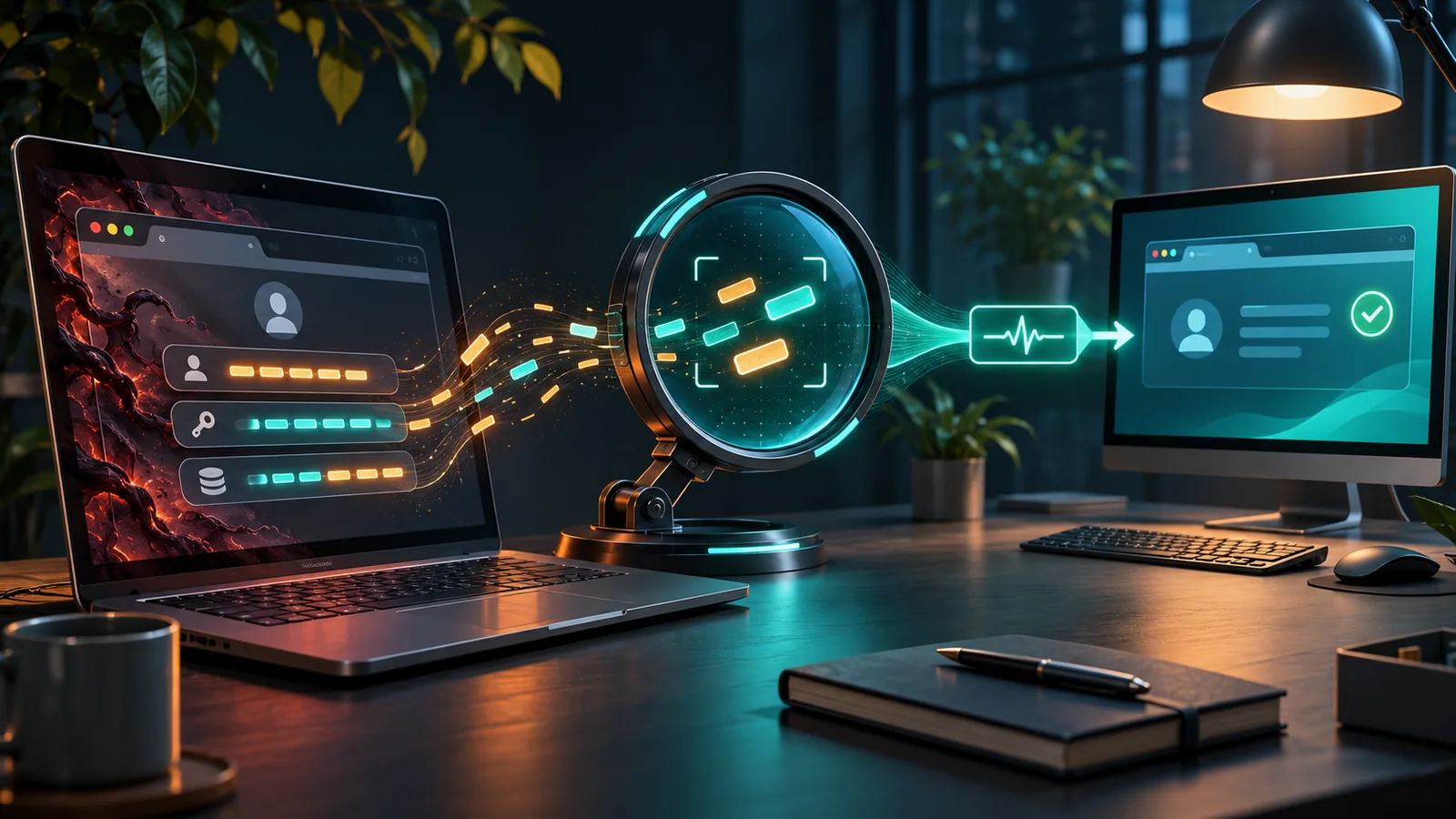
Illustration of a magnifying glass examining a stream of captured login data flowing from an infected device icon
Source of the dataInfected devices, not company breaches
What's capturedPasswords, cookies, autofill data, session tokens
Where logs surfaceDark web forums and marketplaces
Why it's seriousExposes many accounts from one single infection

TL;DR

Quick answer

Stealer log monitoring scans dark web forums for 'stealer logs' — files generated by infostealer malware that capture everything saved on an infected device, including passwords, cookies, and session tokens — offering a distinct layer of protection beyond standard company-breach monitoring.

Last reviewed2026-07-26
Reading time8 min read
DifficultyIntermediate
EvidenceStrong
Malware typeInformation-stealing malware ('stealers')
Data capturedEntire device snapshot, not just one password
Common stealer familiesRedLine, Raccoon, Vidar, among others
Distinct fromStandard company data breach monitoring
Session tokensCan bypass password changes entirely if not revoked

The Basics

A different kind of leak, from a different source entirely

Standard data breach monitoring watches for stolen information that came from a hacked company's servers — your email showing up in a leaked customer database, for instance. Stealer log monitoring watches for something categorically different: evidence that your own personal device was infected with information-stealing malware, sometimes called an 'infostealer' or simply a 'stealer.'

When this type of malware infects a device — often through a malicious download, cracked software, or a deceptive link — it doesn't target one specific account. It sweeps through everything stored locally: saved browser passwords, active session cookies, autofill payment details, cryptocurrency wallet files, and more, compresses it all into a single file, and sends it back to whoever deployed the malware. That file is the 'stealer log,' and these logs are frequently sold or traded in bulk on dark web forums, sometimes bundled by the thousands.

Stealer log monitoring services scan those forums and marketplaces specifically for logs matching a person's known accounts or devices, because a single stealer log can expose dozens of accounts, sometimes including ones the person may not think of as high-risk, all stemming from one infection event.

Why this differs meaningfully from ordinary breach monitoring

  • The data doesn't come from a hacked company — it comes from an infection on your own device
  • A single stealer log can expose many accounts at once, not just one service's data
  • Captured session tokens can sometimes allow access even after a password has been changed

How a stealer log is created and traded

The path from an infected device to a monitoring alert.

Flow diagram showing malware infecting a device, generating a stealer log, and the log surfacing on a dark web forum
1

Infection occurs

Malware installs on a device through a malicious download or deceptive link

2

Data harvested

The malware collects saved passwords, cookies, and autofill data from the device

3

Log packaged

All harvested data is compressed into a single stealer log file

4

Log traded

The file is sold, traded, or leaked on dark web forums and marketplaces

One infected laptop can leak more accounts than an entire company breach

A single company data breach, however large, typically exposes data tied to that one company's service. A single stealer log, pulled from just one infected personal device, can contain login credentials for dozens of completely unrelated services — banking, email, work accounts, social media — all captured in one sweep.

It flips the usual scale assumption people have about data exposure. The danger isn't always about how big the breached company was — sometimes it's entirely about how much was saved on one single, ordinary device.

Misconception

Changing your password is always enough to fix an account exposed in a stealer log.

Reality

Stealer logs often include active session cookies and tokens, not just passwords. If a session token is captured and not separately revoked, an attacker can sometimes remain logged into an account even after the password has been changed, since the token itself can bypass the login step entirely.

From infection to detection, step by step

The lifecycle of a stealer log, and how monitoring intercepts it.

Malware delivery

Infostealer malware typically spreads through malicious downloads, cracked software, phishing links, or fake browser extensions.

Like a thief slipping in through an unlocked side door rather than breaking down the front one.

Silent data collection

Once active, the malware scans the device for saved credentials, cookies, autofill data, and sometimes cryptocurrency wallet files, all without visible signs to the user.

A pickpocket working through every pocket in a coat while the wearer is distracted.

Log compression and exfiltration

The harvested data is bundled into a compressed file and sent to a server controlled by the attacker.

Packing everything stolen into a single bag before leaving the scene.

Distribution on dark web forums

Stealer logs are frequently sold individually or in bulk collections on dark web marketplaces and forums, sometimes for surprisingly low prices given how much data each one contains.

Selling a bag of stolen wallets at a flea market, priced by volume rather than individual value.

Monitoring and matching

Stealer log monitoring services scan these forums for logs containing a specific person's known email addresses, domains, or account identifiers, and alert them if a match is found.

A detective checking every fenced item at a pawn shop against a list of known stolen goods.

The convenience features built to protect your time end up protecting the thief instead

Saved passwords, autofill forms, and 'stay logged in' sessions exist purely to make everyday browsing more convenient. Stealer malware quietly turns every one of those conveniences into an advantage for the attacker, harvesting exactly the data you saved specifically because typing it repeatedly felt like too much friction.

If session tokens can bypass a password change, how does anyone actually recover from this?

If changing a password isn't always enough, what actually stops an attacker who has a captured session token?

The real fix is revoking the session itself, not just changing the password — most major services offer a 'sign out of all devices' or 'manage active sessions' option specifically for this scenario, which invalidates any captured tokens immediately regardless of whether the password has changed. Stealer log monitoring alerts matter partly because they tell you which specific accounts need this more thorough response, rather than just a routine password reset.

Massive combined stealer log collections

Cybersecurity researchers have documented discovering combined stealer log collections online containing tens of millions of individual credential sets, aggregated from countless separate infections across many different stealer malware campaigns, all traded together as a single searchable dataset.

The scale these collections reach shows this isn't a niche or rare threat — infostealer malware operates as a mature, industrial-scale part of the cybercrime economy, with its own specialized markets and buyers.

How stealer log exposure differs from a standard data breach

Both end up as leaked credentials, but the origin and scope differ substantially.

Company Data BreachStealer Log Exposure
Source of leakA hacked company's serversMalware infection on your own device
Typical scopeOne company's user dataEvery account saved on the infected device
Includes session tokensRarelyFrequently
Fix requiredChange password on the breached serviceRevoke sessions and change passwords across all affected accounts
mostlyTrue

Is stealer log monitoring worth having beyond standard breach monitoring?

Yes — it catches a meaningfully different, often more severe category of exposure than standard breach monitoring alone.

Because stealer logs can reveal an active device infection affecting many accounts at once, including session tokens that survive a password change, this type of monitoring provides a distinct layer of protection that ordinary breach-database monitoring doesn't cover.

What to actually do about it

Run a full malware scan on the affected device first

Changing passwords is pointless if the same malware is still active and will simply capture the new ones too.

Revoke active sessions on every affected account, not just change the password

Captured session tokens can bypass a password change entirely if not separately invalidated.

Check for unfamiliar browser extensions or recently installed software

Infostealer malware often arrives bundled with something the user installed voluntarily, unaware of what it contained.

What this reveals about where the real vulnerability sits

Stealer log monitoring is a reminder that, increasingly, the weakest point in personal security isn't necessarily a company's server — it's the accumulation of convenience features sitting quietly on an individual's own device. As more of daily life moves through browsers that remember everything by default, the device itself becomes as valuable a target as any single company's database, and protecting it requires a fundamentally different kind of vigilance than simply picking strong passwords.

Questions people ask

If this got you curious, go here next

What is dark web monitoring and how does it work?

The broader monitoring category stealer log monitoring is a specialized part of.

What is credential monitoring?

A related but distinct approach focused on breach databases rather than malware logs.

What is Have I Been Pwned and how do I use it?

A free tool for a complementary type of exposure check.

What is Tails OS and why do people use it?

An operating system designed specifically to avoid leaving this kind of persistent data at all.

What is Not Evil, OnionLand, and Kilos?

Where stolen data like stealer logs often ends up being traded.

The convenience you saved is the exposure someone else finds

Stealer log monitoring exists because so much of what makes a device convenient — remembered passwords, active sessions, autofill everything — is exactly what makes it valuable to steal in one clean sweep. Watching for that theft has become its own necessary discipline, separate from simply watching for the next company breach.

You now know

  • Stealer logs come from malware infections on personal devices, not company data breaches
  • A single stealer log can expose credentials for dozens of unrelated accounts at once
  • Captured session tokens can sometimes bypass a password change unless separately revoked
  • Stealer log monitoring watches dark web forums specifically for this device-level exposure

Safety note

Educational, not operational

This guide is educational. It does not provide instructions for illegal activity, evading law enforcement, buying prohibited goods, or attacking systems. Laws and risks vary by country, so stay within your local rules and avoid interacting with unknown services.

Common myth

Myth vs reality

Myth

Changing your password is always enough after this kind of exposure.

Reality

Captured session tokens can bypass a password change unless separately revoked.

FAQs

Questions people ask

Sources

Further reading

  • Infostealer malware threat intelligence reportingCybersecurity research firms
  • Stealer log marketplace activity analysisSecurity industry publications

Continue learning

Next useful step

Keep going

The next door is usually the interesting one

The answer you came for touches a few neighboring questions. These are the ones most likely to make the picture click.

What you should remember

The convenience you saved is the exposure someone else finds

  • Stealer log monitoring exists because so much of what makes a device convenient is exactly what makes it valuable to steal in one clean sweep.
  • Stealer logs come from malware infections on personal devices, not company data breaches
  • A single stealer log can expose credentials for dozens of unrelated accounts at once
  • Captured session tokens can sometimes bypass a password change unless separately revoked

A few useful next steps

Where this question wanders next

The dark web is less a single tunnel than a set of side passages. These are the useful ones from here.

If this made you wonder

stealer logs collection

Build the basics

1

What Compliance Frameworks Require Dark Web Monitoring? (SOC 2, HIPAA, PCI DSS)

Search any of these frameworks' official text for the phrase 'dark web monitoring' and you'll come up empty. Search for what they actually demand, and the picture gets a lot clearer.

2

What Does a Dark Web Monitoring Alert Actually Mean?

The subject line says 'your information was found on the dark web.' The actual mechanics behind that sentence are a lot less dramatic, and a lot more useful to understand.

3

What Is Dark Web Monitoring and How Does It Work?

Somewhere in a hidden corner of the internet, your personal information might already be for sale. Here's how you'd actually find out.

4

What Is Dark Web Monitoring And How Does It Work?

A service that watches for your information showing up in places you'd rather it never went.

5

What Is Digital Risk Protection (DRP)?

Dark web monitoring is a piece of it. The full category covers a lot more of a company's exposure than most people realize.

Questions people ask first

Choose by the time in your pocket